Yatsu Reader The modern ebook reader for the browser for learning Japanese, Chinese, and Korean.

Start reading
"I've fallen in love with the dev."
E, a Yatsu user (from Discord)

Look up words without leaving your book.

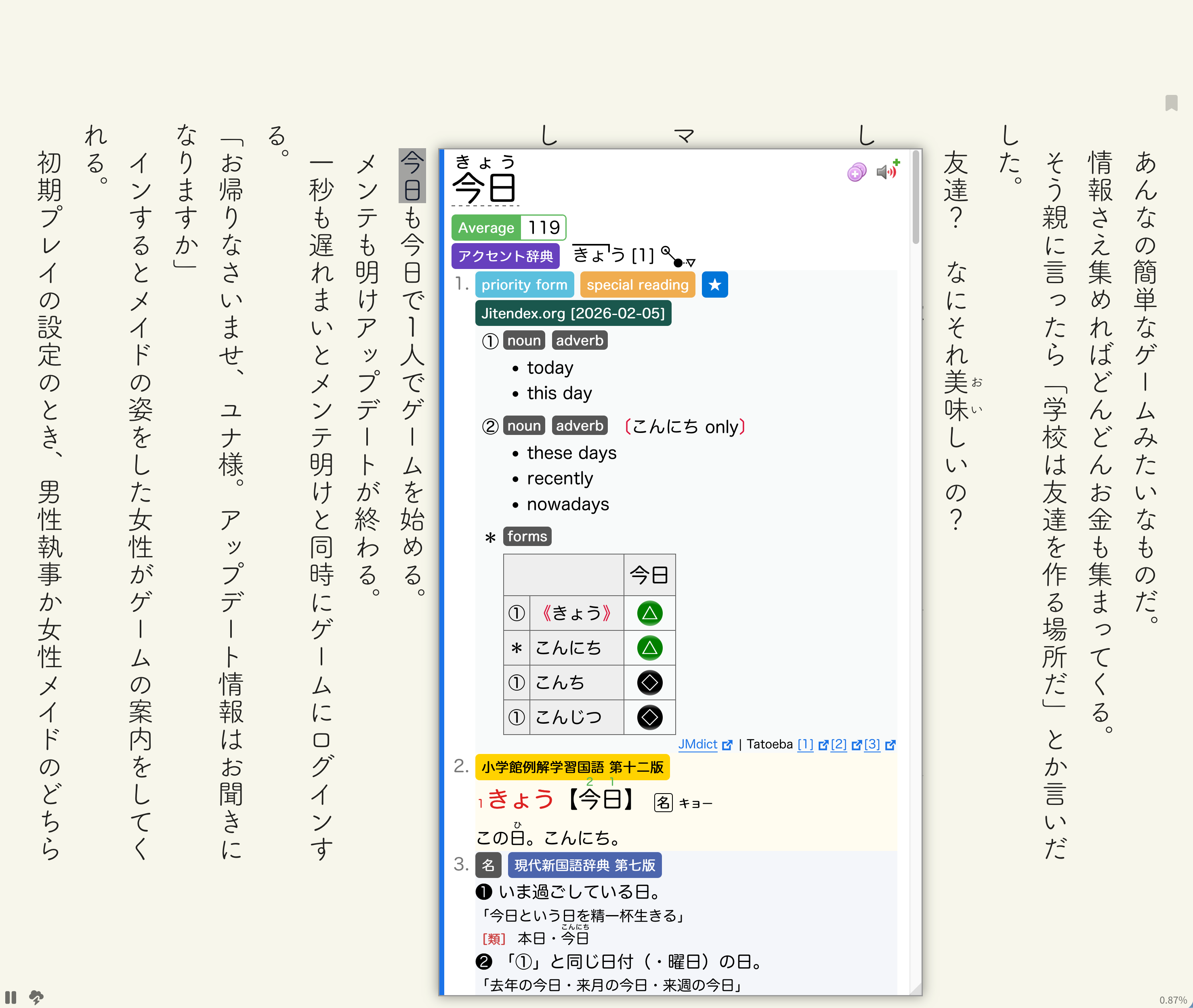
Meet a word you don’t know? Look it up with Yomitan, right beside the text. Read the definition, then carry on with the story.

Connect Yomitan to Anki to save vocabulary for later review. You can also read with Jiten Reader.

Dictionary lookup uses a separate browser extension. Anki card creation needs a configured Yomitan and Anki setup.

Get Yomitan Using Jiten Reader
A Japanese word selected in vertical text, with its Yomitan definition beside it. View full screenshot

Make every book comfortable to read.

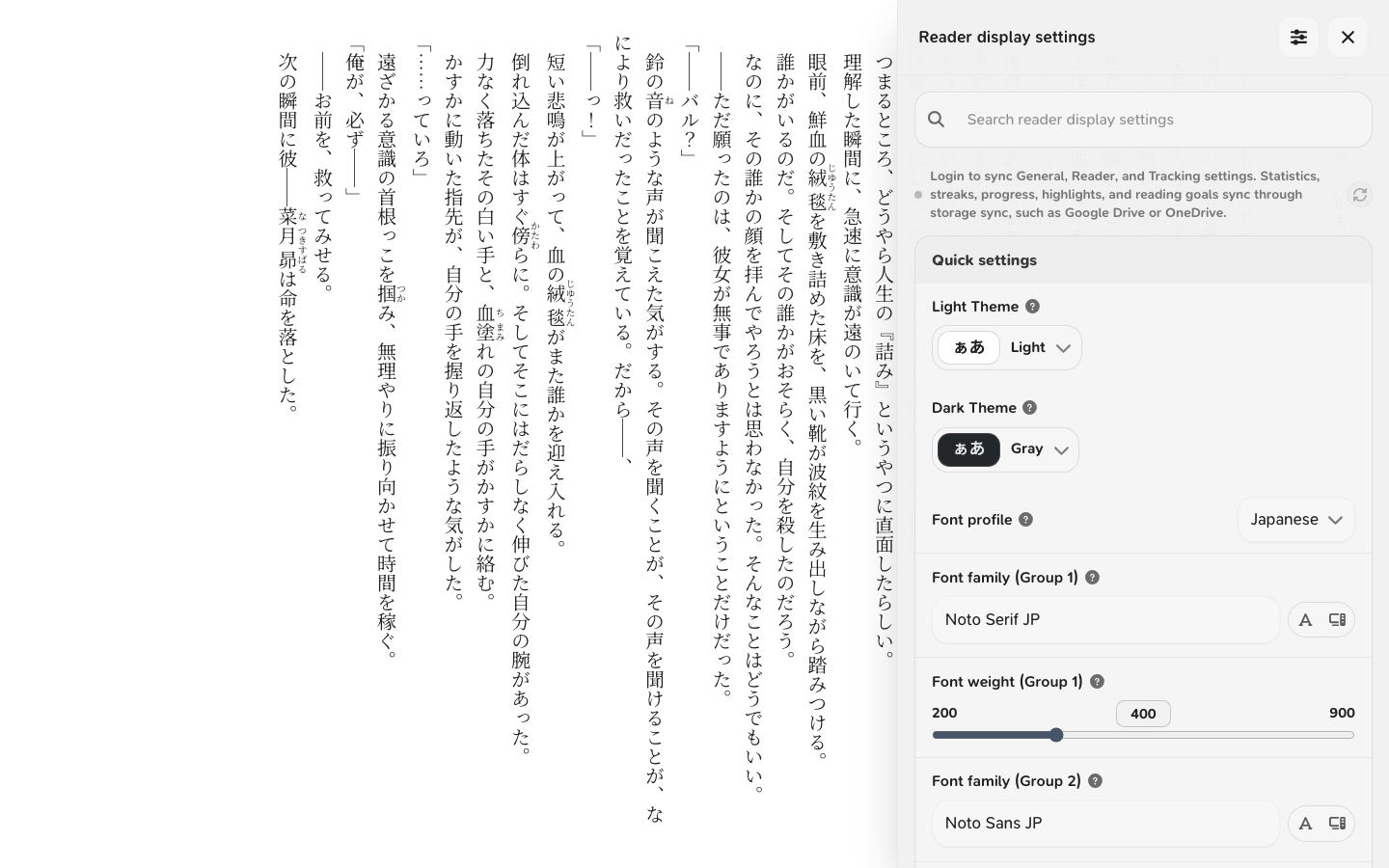
Choose your fonts, spacing, and theme while the book is open. Read vertically or horizontally, scroll continuously, or turn one page at a time.

Set different font profiles for Japanese and Chinese, choose Simplified or Traditional Chinese glyphs, and use Korean character counting for Korean books.

Explore reader settings
Vertical Japanese text beside the reader’s theme and font controls. View full screenshot

See your reading add up.

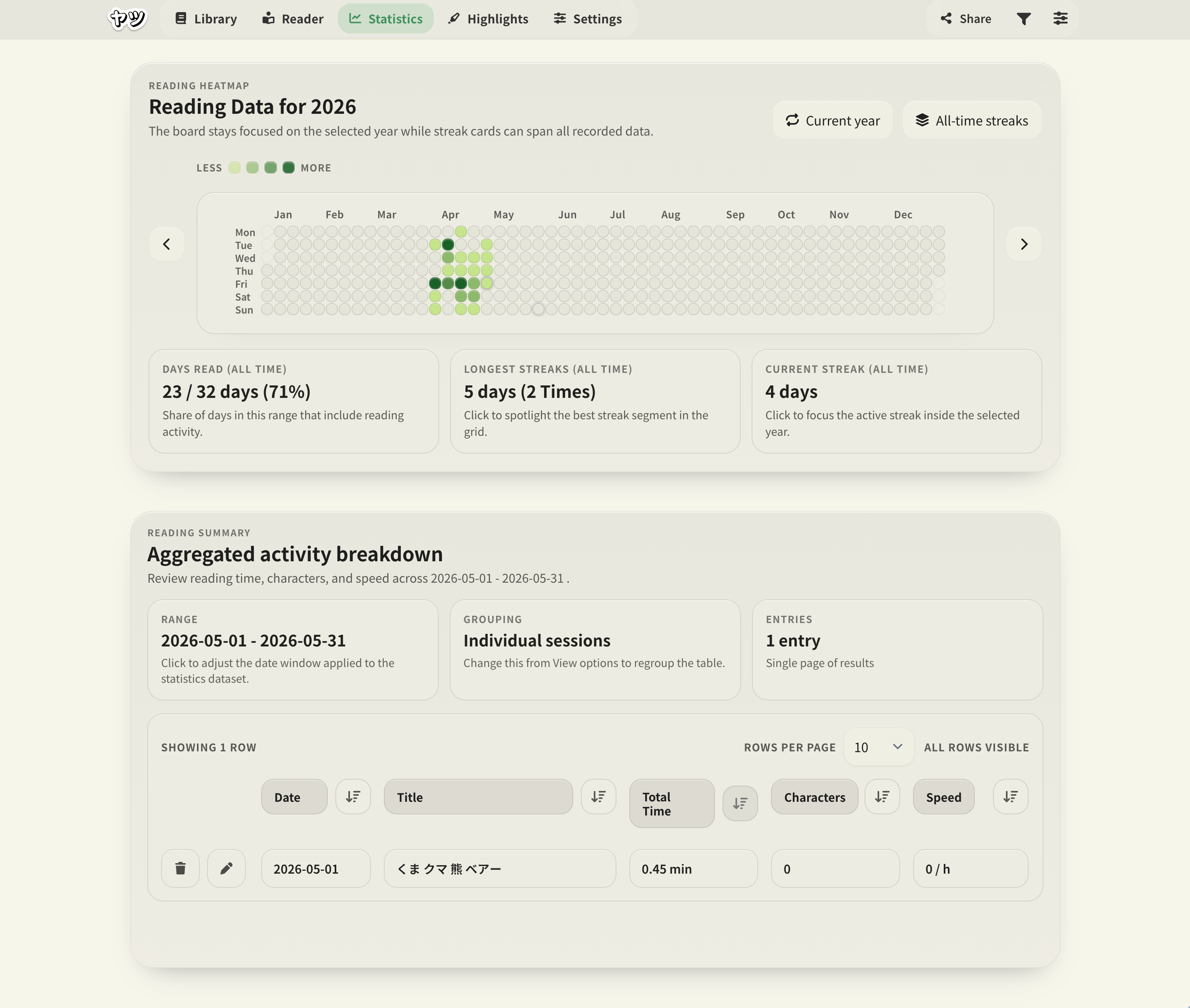
A few pages today. Another chapter tomorrow. Track your reading time, characters read, and reading speed, and see your activity across the calendar.

Set a goal for time, characters, or speed. Check your progress while you read, then look back at the sessions that got you there.

Explore tracking & goals
A reading heatmap with active days in green, plus summaries of reading days and streaks. View full screenshot

What Yatsu adds
to Ttsu Reader.

Yatsu builds on Ttsu Reader, also known as ttu reader. It keeps the EPUB, HTMLZ, and plain text reading, dictionary extension support, vertical text, and offline use you may already know.

Compare Yatsu and Ttsu Move your Ttsu library to Yatsu

More control over how you read.

  • Save multiple named bookmarks alongside your current reading position.
  • Read one block at a time in VN mode.
  • Group books by author and select ranges of books for bulk edits.
  • Sync Reader and Tracking preferences through a free account.
  • Choose Chinese font profiles and count Hangul in Korean books.

Import a Ttsu backup ZIP to bring over the books, reading positions, and statistics you selected for export.

Your books, your notes,
your routine.

Keep the passages you want to return to.

Highlight a line, write a note, or save a named bookmark. Your bookmarks stay separate from your current reading position.

Highlights, notes & bookmarks

Give your growing library some order.

Group books by series or author, add tags, and find what you’re reading or have already finished. Select several books to make changes together.

Explore the library

Take a book beyond your Wi-Fi.

Prepare Yatsu and your books while you’re online, then read and record your progress offline. The app and book content both need to be saved on your device first.

Prepare for offline reading

Keep your preferred setup on each device.

A free account can sync your Reader and Tracking settings, with exceptions for preferences you want to keep different. Books and reading history use separate storage sync or backups.

How settings sync works

Before you
start reading.

A few practical answers about your books and your data.

Visit the documentation
Which book files can I open?

Yatsu imports EPUB, HTMLZ, and plain text files. Open the library and choose Import File(s) to add your own books, or Import Backup to restore a backup ZIP.

Do I need an account?

No. You can import a book and start reading without signing up. A free Yatsu account adds optional settings sync between devices.

Where are my books and reading data stored?

Books imported into Browser storage and their reading data are stored in the current browser profile. You can make local backups or connect supported external storage, such as Google Drive, to sync reading data. Account settings sync is separate and does not transfer your books or reading history.

Can I bring my library over from Ttsu?

Yes. Export a backup ZIP from Ttsu, including the books, positions, and statistics you want to keep, then use Import Backup in Yatsu. Keep the ZIP until you’ve checked the import. Follow the migration guide.

Does dictionary lookup work on every device?

Yatsu works with dictionary tools such as Yomitan and Jiten Reader, which you install separately. Availability depends on your browser and device. Creating Anki cards also requires the relevant dictionary and Anki setup.


Bring a book.
Start reading.

Open Yatsu, import your book, and make yourself comfortable.

Start reading

No account required to get started.